Matt Galloway

My home on the 'net.

Why I’ve been quiet recently

If you follow my blog then you’ll notice that I’ve been quiet over the past couple of months. Well, I have been quiet on here, but I have been writing. In fact, I’ve been writing more than I ever have. That’s because I’m authoring a book! I have had the incredible fortune to be able to work with Pearson publishers to produce a book in the “Effective” series that was started with Scott Meyers’ “Effective C++”. I am honoured to be able to write a book in this series.

The title of mine is going to be “Effective Objective-C 2.0”. It aims to be a book that teaches how to use Objective-C properly. It is split into over 50 short “Items” that each explain why you should write code in a certain way, or how to use a certain feature. It will help developers who have already read a beginner text and want to learn more.

The writing is going well and I am very close to finishing the first draft now. Then will come the editing phase, which is slightly daunting but I’m very much looking forward to seeing it turn into a real book!

There’s nothing I can show right now, but it will but on Safari “Rough Cuts” soon (I’ll post a link when it is) so if you want to take a sneak peek you will be able to on there. For now, here are a few links to other books in the series that are also excellent:
A look inside blocks: Episode 1

Today I have been taking a look at the internals of how blocks work from a compiler perspective. By blocks, I mean the closure that Apple added to the C language and is now well and truly established as part of the language from a clang/LLVM perspective. I had been wondering just what a “block” was and how it magically seems to appear as an Objective-C object (you can copy, retain, release them for instance). This blog post delves into blocks a little.

Character encoding for iOS developers. Or UTF-8 what now?

Character encoding is a really tricky thing to get your head around. You think in terms of characters usually and as a programmer, that serves you well since everything you type will almost certainly from the standard latin alphabet (i.e. a-z, A-z, 0-9 with punctuation marks). It is this set of characters which was first available for use in computers back in the day, but now that computing is worldwide, we needed a means to display characters from all the world’s many languages.

You will no doubt end up dealing with characters (or more likely strings of characters) if you interface with public services where people themselves create the content such as Twitter or Facebook. In this post I aim to explain all you need to know about character encoding from the perspective of an iOS (or Mac) developer.

Sales increased since iOS 6

A lot of people have been complaining about the new App Store layout in iOS 6. Some developers have particularly been complaining about the fact that their sales are going to drop because it makes it harder for people to find their apps. However, I’ve seen completely the opposite. My sales are steadily increasing.

The main app that I’ve seen this in is my iOS app called Subnet Calc. I’ve seen an increase in sales of around 25-30 per day to 55 per day, in a steadily increasing fashion. This increase started the day iOS 6 came out.

Facebook World Hack London - Winners!

On Friday (21st September 2012), myself and 4 friends attended the Facebook World Hack day in London. It was held in the London offices of Facebook and around 200 people attended. Twilio, Pusher and Deezer were also there. The aim was to build something which used the Facebook APIs, with extra points going to teams who incorporated the OpenGraph, a game element or used one of the 3 other companies APIs.

So myself, Michael, Chris, Will and Stevo set about working on the basic idea we had gone to the day with. The idea was called “Flash Dance” and it was to be an app that allowed you to arrange silent discos in a flash mob kind of way.

And so, Flash Dance was born…

Flash Dance Icon

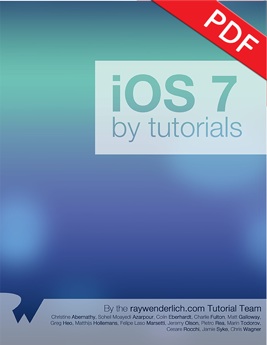
iOS 6 by Tutorials

For the past few months (since WWDC) I’ve been co-authoring a fantastic book called iOS 6 by Tutorials. And today I can announce that we have finally been able to release it now that Apple’s iOS 6 NDA has been released!

iOS 6 by Tutorials

Hacking up an armv7s library

NOTE: Please take care with this. I obviously cannot test if this will actually work on a new iPhone 5 device! I provide no warranty if you submit having used this and it doesn’t actually work on the new device. Please think twice before submitting an app which you have used this method to create. You don’t have to submit an armv7s binary. Just set your “Architectures” build setting to armv7 only and submit the resulting binary.

UPDATE: It worked! I tested an app that I’d used this method to build an armv7s slice with. It ran fine on my iPhone 5 :-D.

Well the iPhone 5 has been announced and it just so happens that the architecture it uses is what they’re calling armv7s. This brings in yet another architecture to the mix alongside armv6 and armv7. And I bet you are wondering why you’re getting linker errors when building for armv7s when using external libraries. It’s because those external libraries do not have armv7s versions!

If you run file on the library then you’ll see that there is no armv7s version. For example:

1
2
3
4
5
$ file libUAirship-1.2.1.a
libUAirship-1.2.1.a: Mach-O universal binary with 3 architectures
libUAirship-1.2.1.a (for architecture armv7):    current ar archive random library
libUAirship-1.2.1.a (for architecture armv6):    current ar archive random library
libUAirship-1.2.1.a (for architecture i386): current ar archive random library

So what can you do? You could wait for the library to be updated, or you could just follow these steps…

Auto-sorted arrays

A problem came up whilst I was hard at work at my current job (iOS developer at zeebox) where I needed a list of things that were going to be displayed in a table. These things were going to be ordered based on time but the API I wanted my table view to have was such that it would be given a chunk of new items to display but it didn’t necessarily know where to display them. I would want to animate the changes to the table so when adding a new object I’d need to know where they had been added. So I thought to myself:

Wouldn’t it be nice to have an array which kept itself sorted when you added objects to it and also told you where it had added them?

And this is where MJGMutableSortedArray was born…